
In this handy article, you can already find how to activate or deactivate the second call on the Flexy Mobile application.
Apple configuration
Step 1: Open Flexy Mobile, and navigate to settings in the upper right corner from the key menu.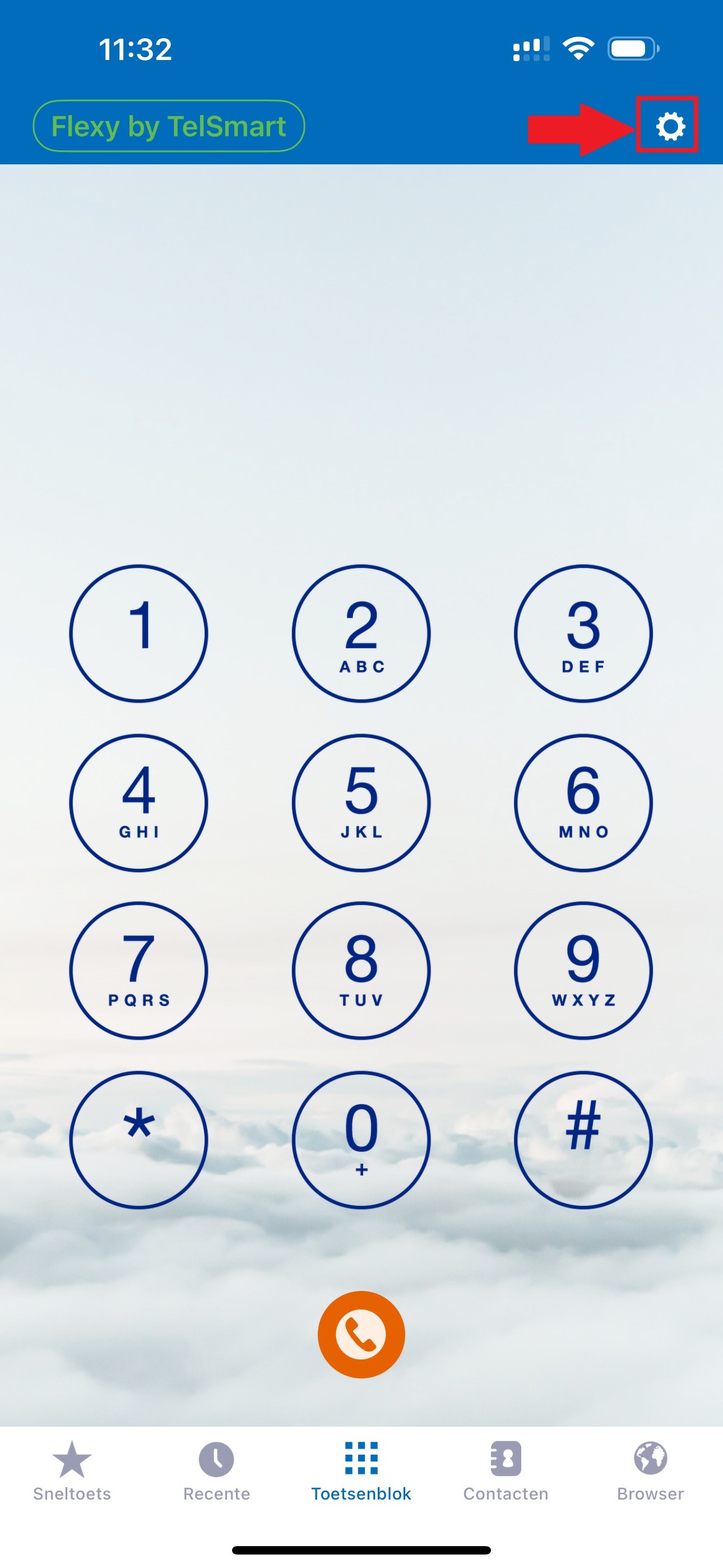
Step 2: From this menu, choose account settings.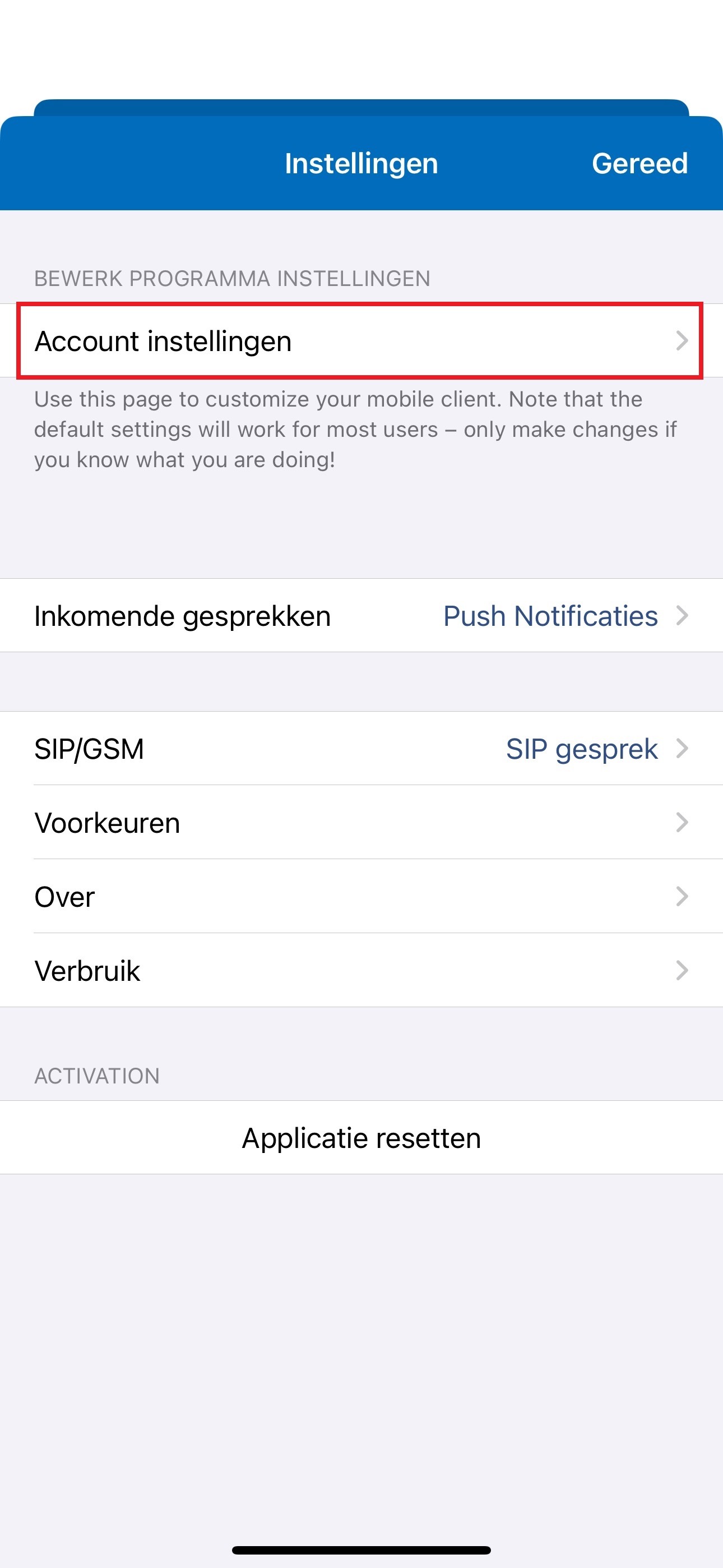
Step 3: If the button turns green it means your second call is also called Call Waiting active, to deactivate this press the green button.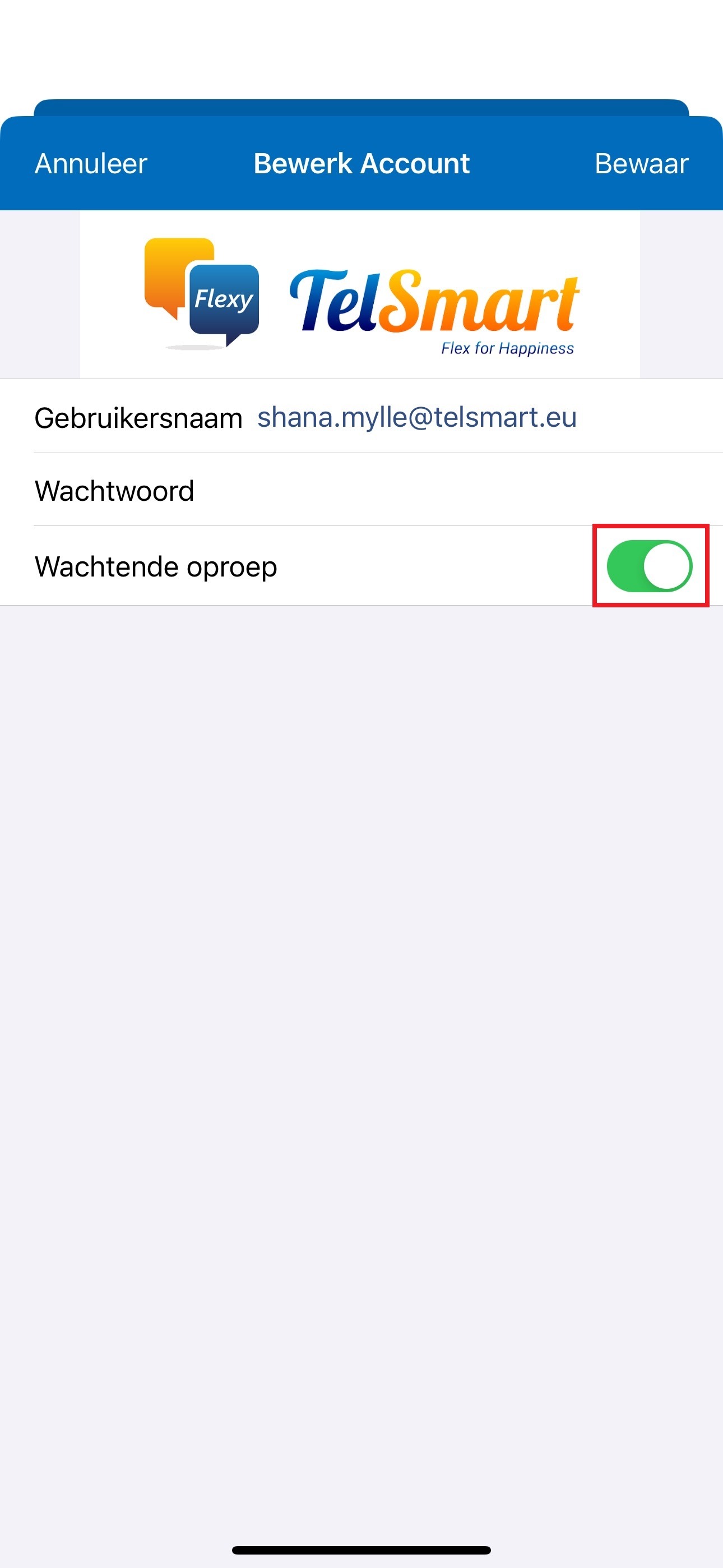
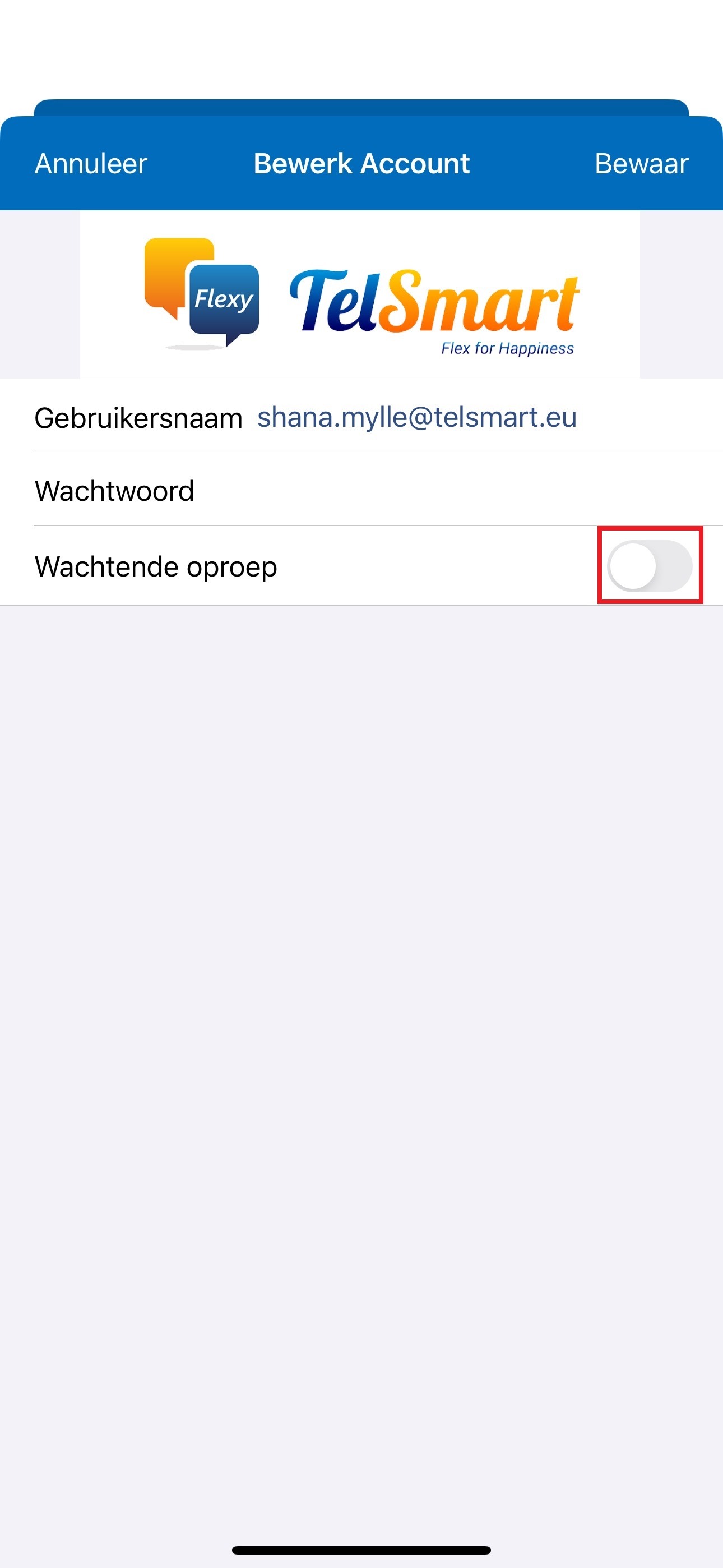
Step 4: If your button turns gray it means that your second call is also Call Waiting called inactive. This means that you will not receive a waiting call. To activate the waiting call again you need to press the gray button.
Android Configuration
Step 1: Open Flexy Mobile, and navigate to settings from the key menu at the top right.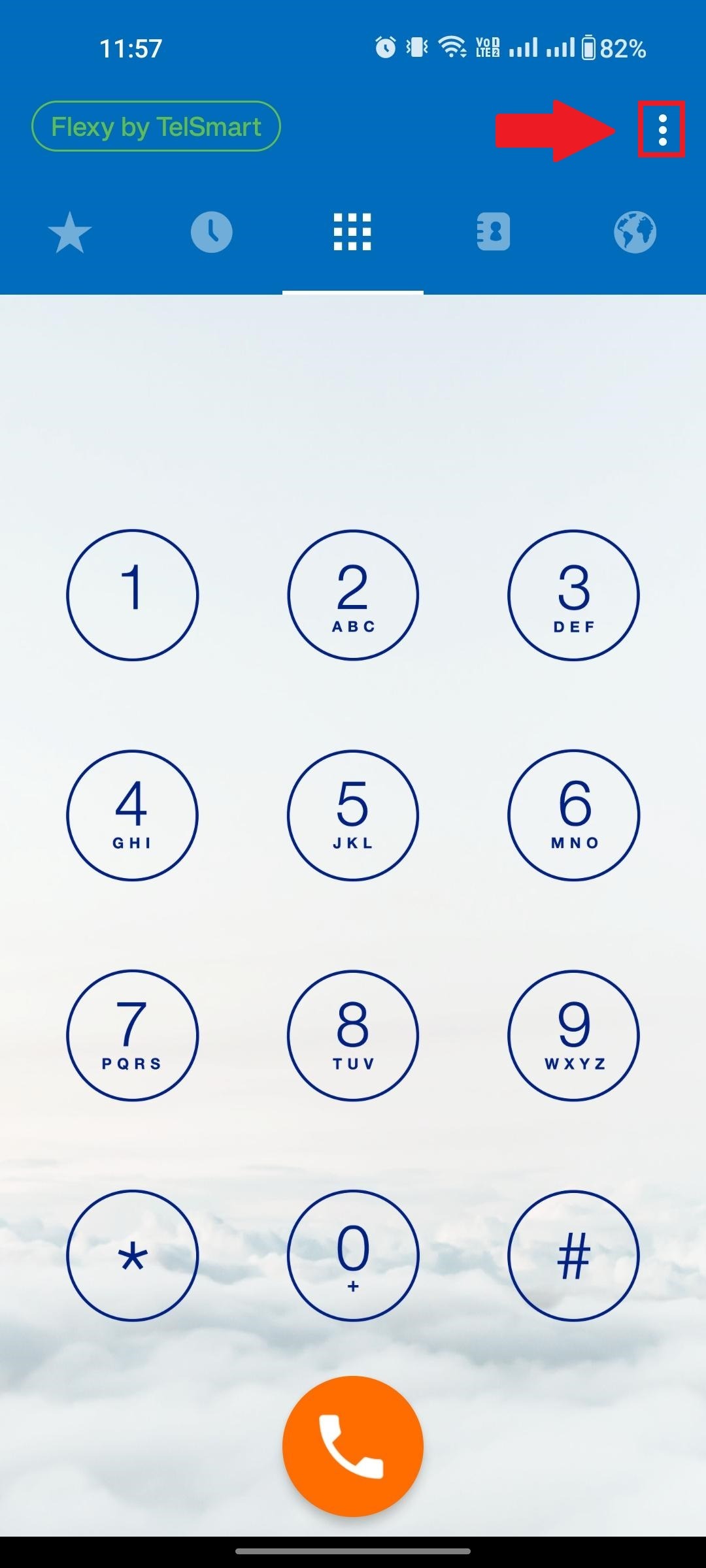
Step 2: In this menu, choose SIP accounts.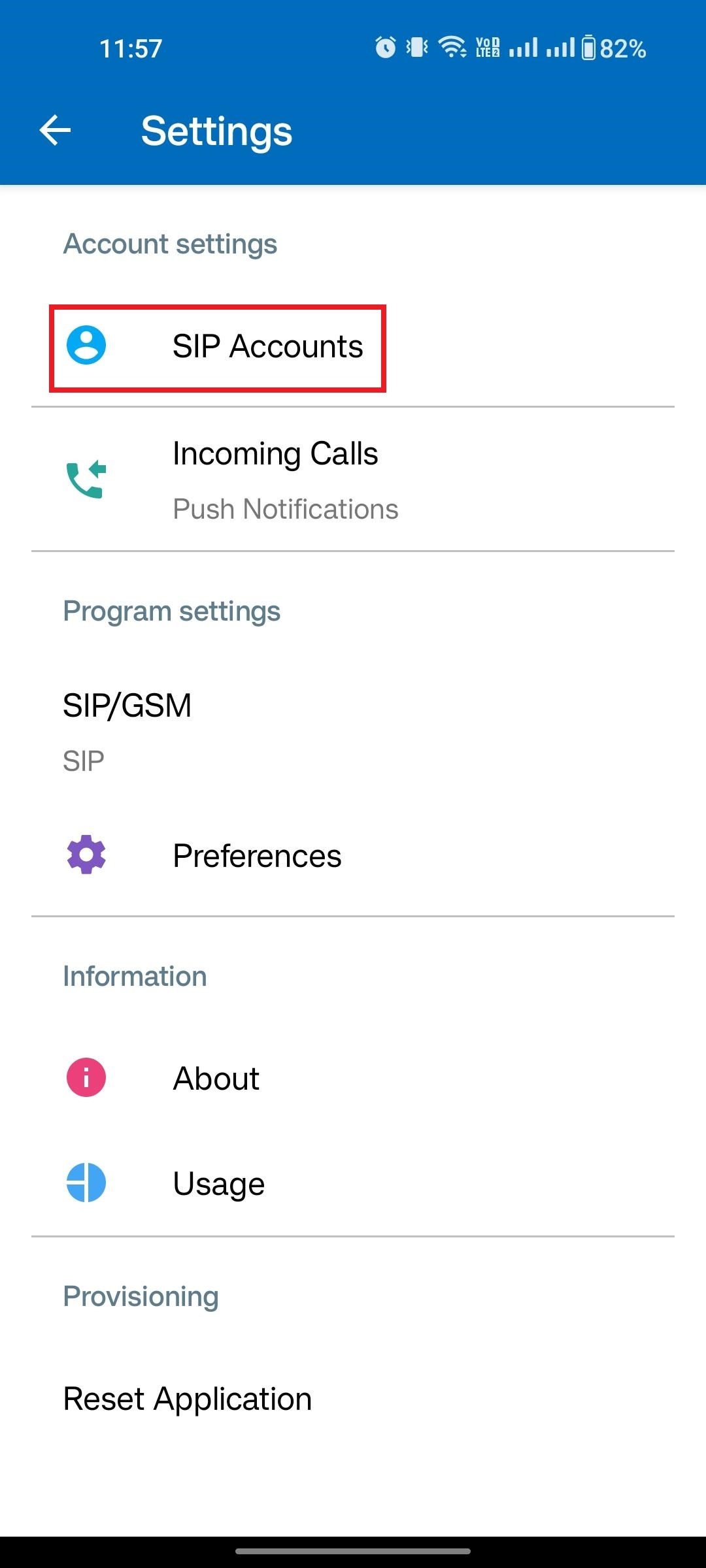
Step 3: If the button turns green it means your second call is also called Call Waiting active, to deactivate this press the green button.