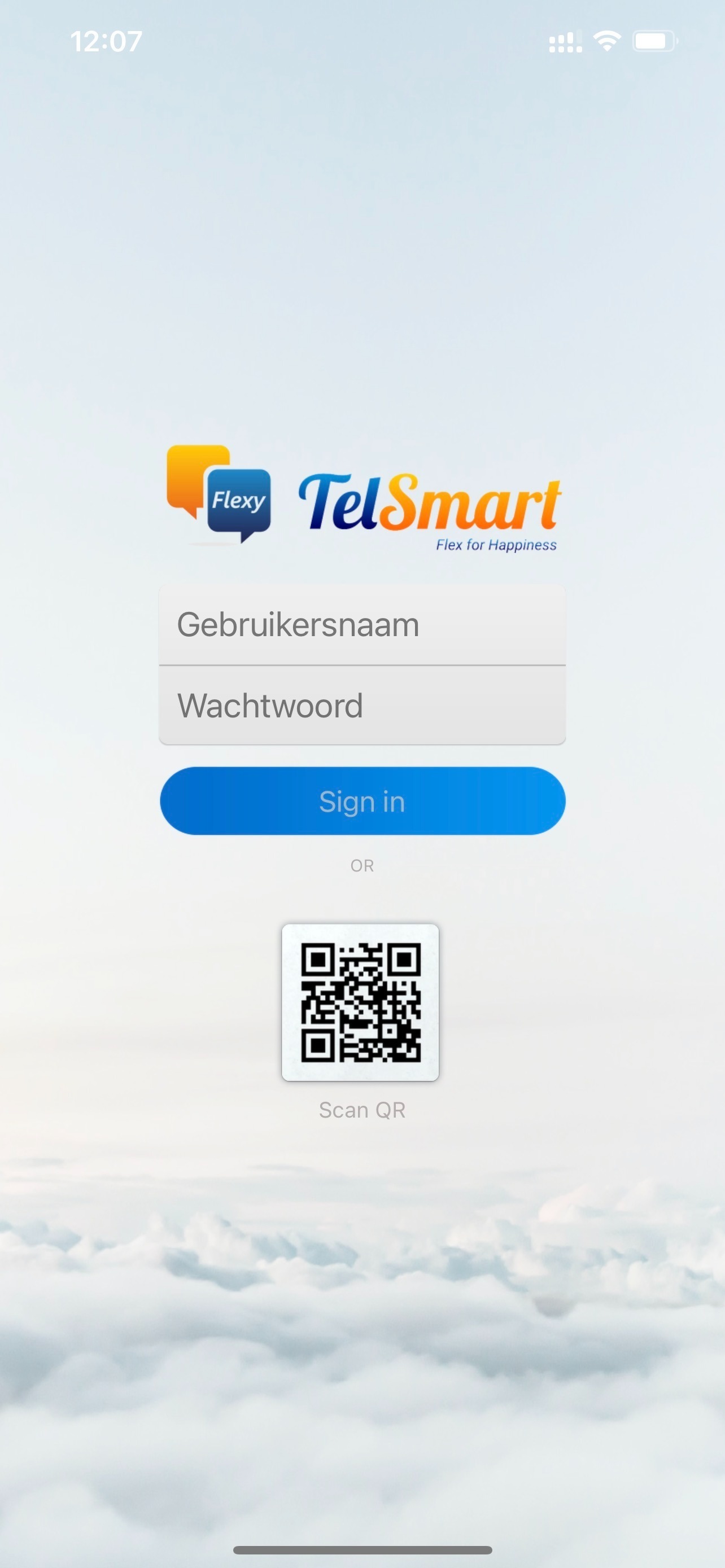
Not sure how to log out of the Flexy Mobile app? Then be sure to follow the steps below to log out and then log back in to the Flexy Mobile app.
Open the App.
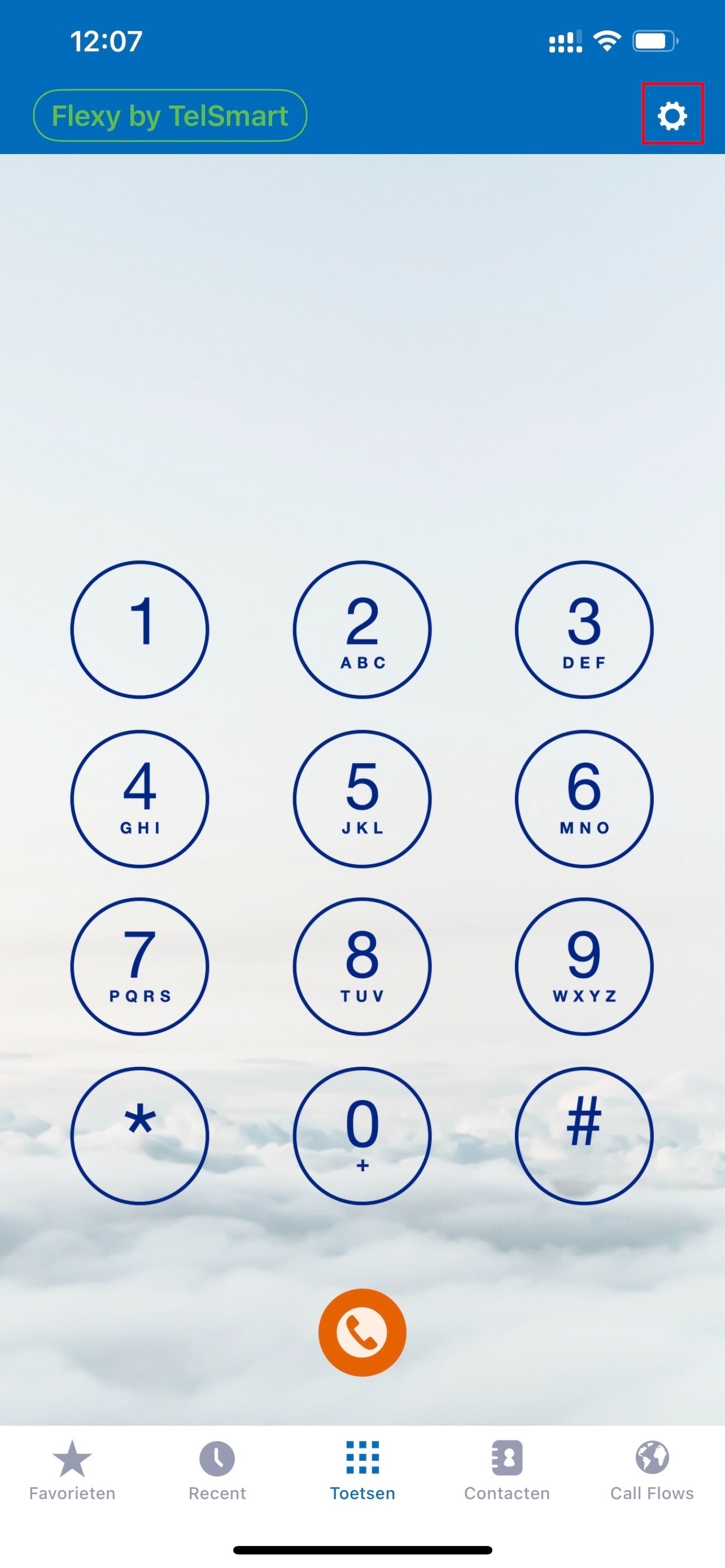
Step 1: Open the app and click on the gear in the top right corner to navigate to the Flexy Mobile settings.
Step 2: In the settings, choose Reset Application. 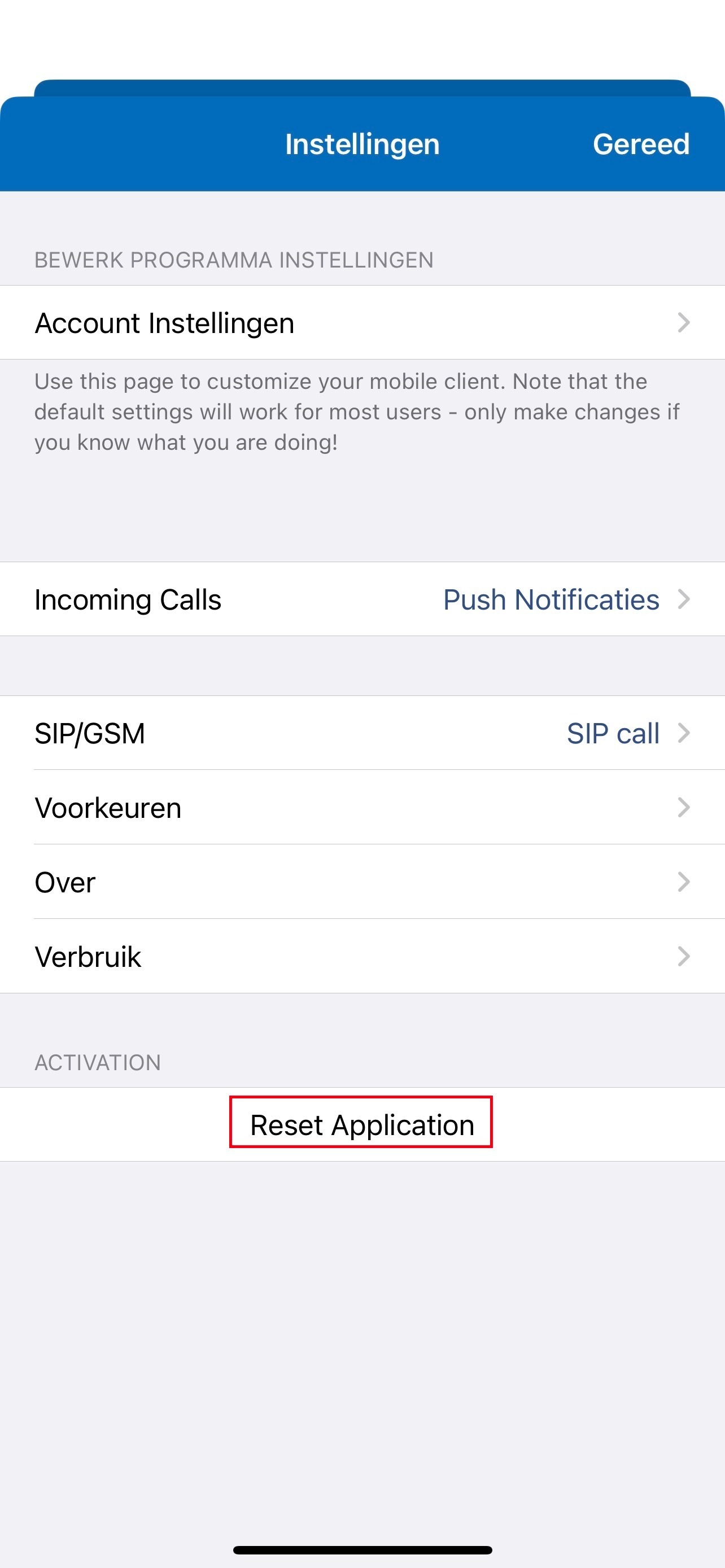
Step 3 : After that, click Reset again.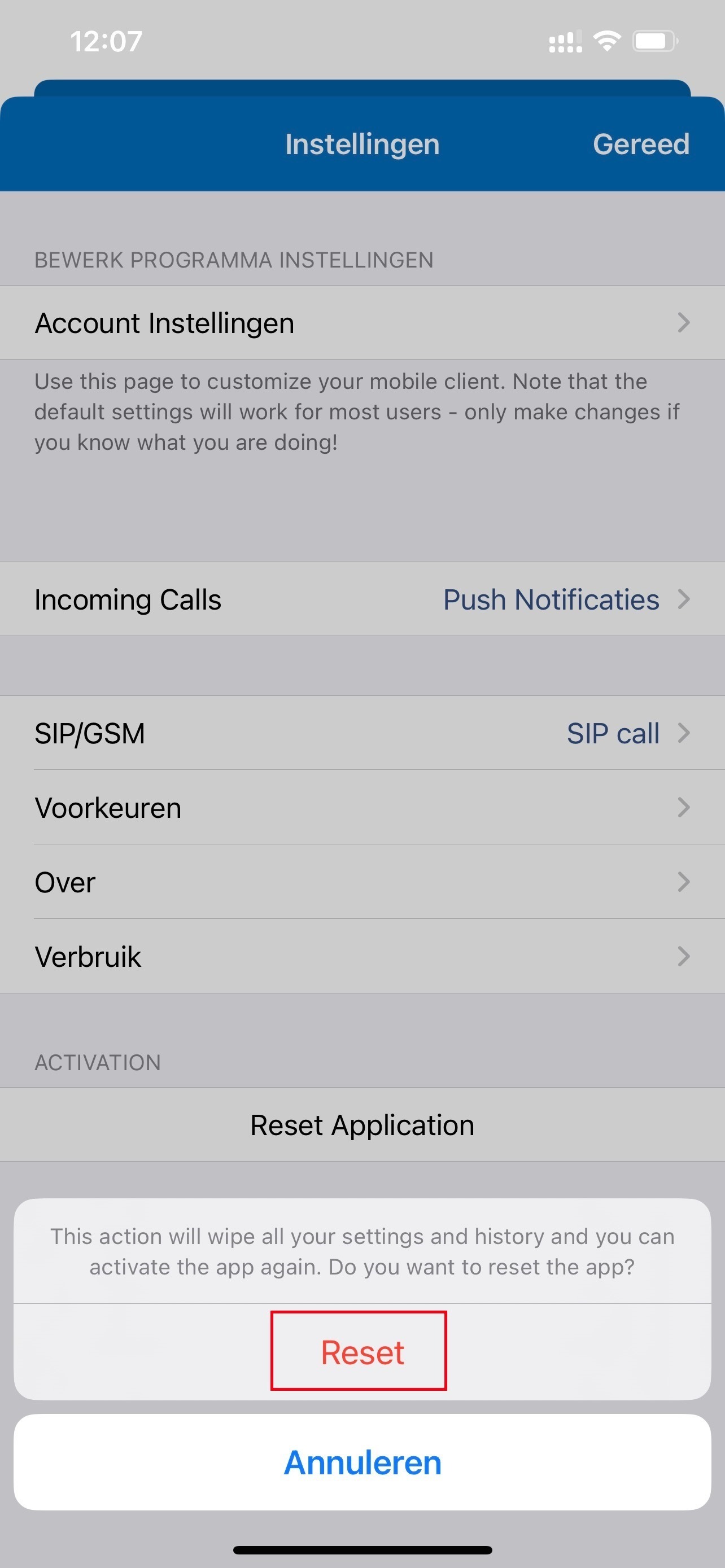
Step 4: The app will close completely, after reopening the app you will see that you are able to enter your login details again.