We have received information from Futura that a number of things are going wrong with the link. If the steps below do not provide a solution, we would like to refer you to the URL below that we received from Futura.
https://kbcgroup.sharepoint.com/sites/208898/SitePages/Integratie-Telephonie.aspx
For further challenges regarding the FUTURA connection, please contact the IT Helpdesk of FUTURA.
If you want to disconnect a device from your Futura, for example because you do not have a permanent place or for example because of a rotation at the reception, you can do so in this way:
- Open advanced search (funnel icon top right) in Futura
- In the "search" pull down menu go to "TelSmart user configurations"
- Press the red exclamation mark ("Results")
- Click on the blue number-letter combination under "name", a new window will open.
- In the ribbon at the top click on "delete"
- Close the window and do an F5 (refresh) in Futura
- The panel should now return the code to connect to TelSmart.
- At your new place you now reconnect to TelSmart. This device will then only be linked to your user, and no longer to the person who was there before.*
Alternative way:
-
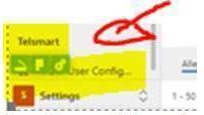
Navigate to "Workplace" at the bottom left of Futura and change to "settings"
-
Click at the bottom left on "VOIP User configurations" under "TelSmart

-
Remove link by ticking the link and clicking "Delete" above it
-
Close the window and do an F5 (refresh) in Futura
-
Now open TelSmart bar on the right. The panel should now return a code to connect to TelSmart.
-
At your new place you now reconnect to TelSmart. This device will then only be linked to your user, and no longer to the person who was there before.*