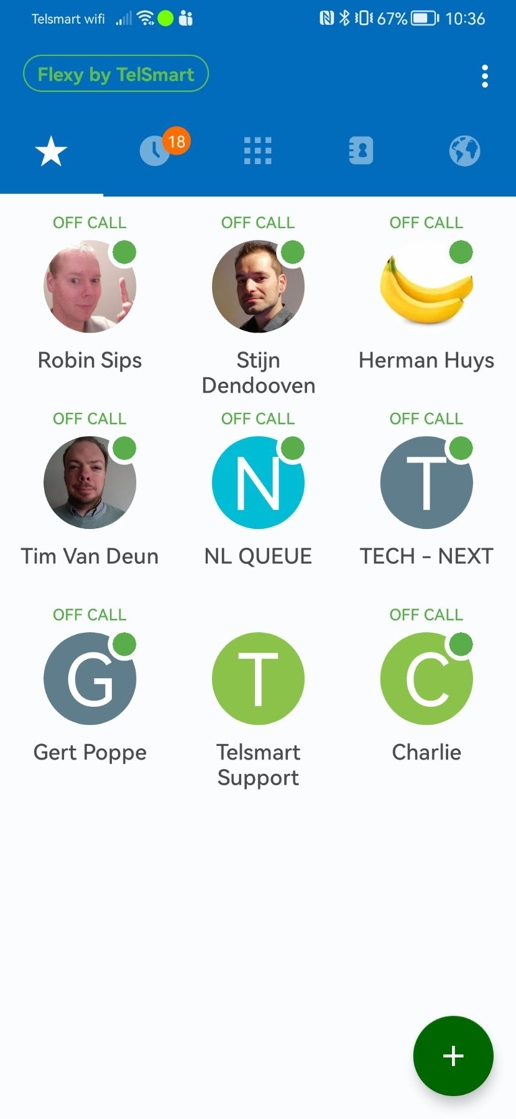
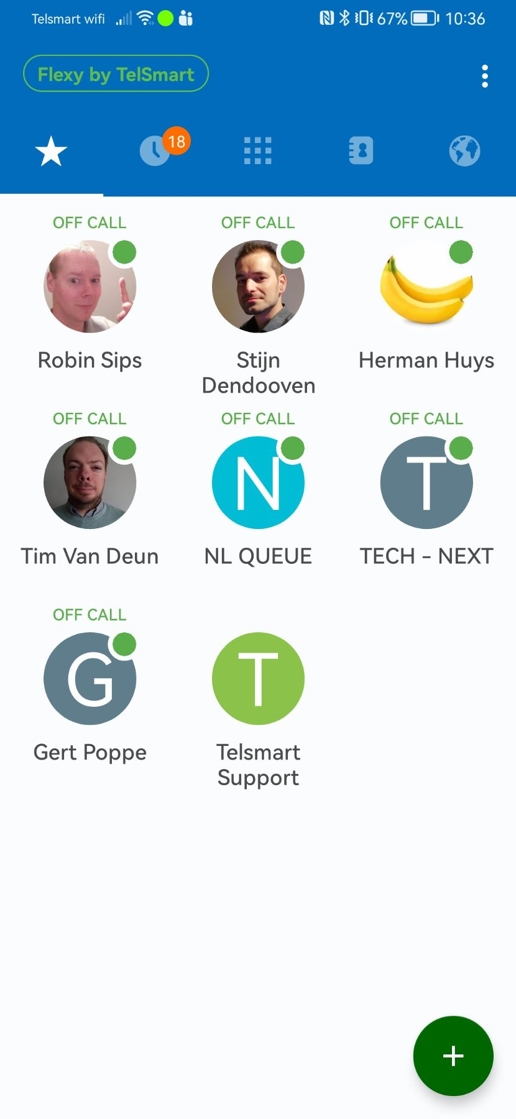
1. We open the Flexy Mobile application.
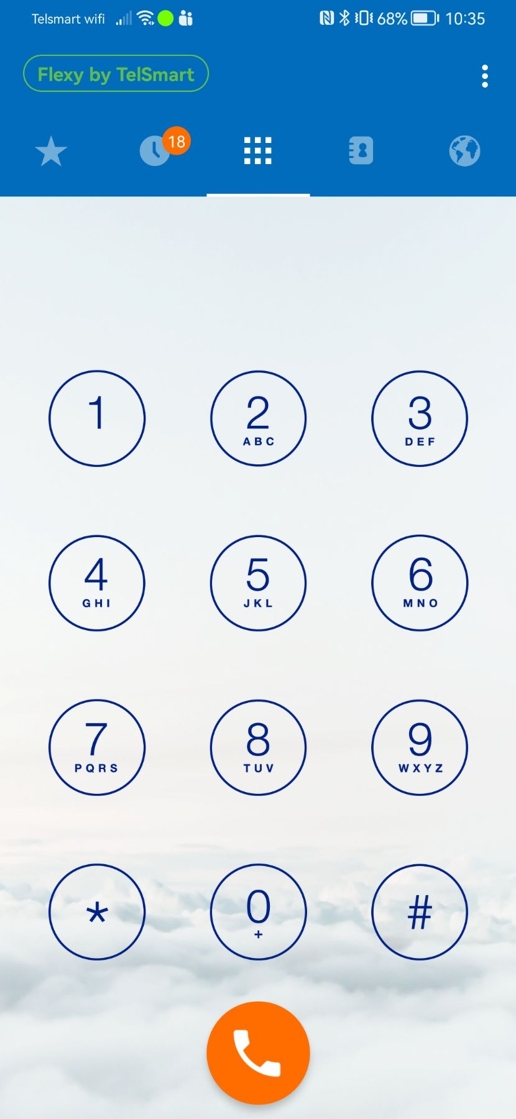
2. Then we navigate to the Favorites (Star icon) and click the + sign.
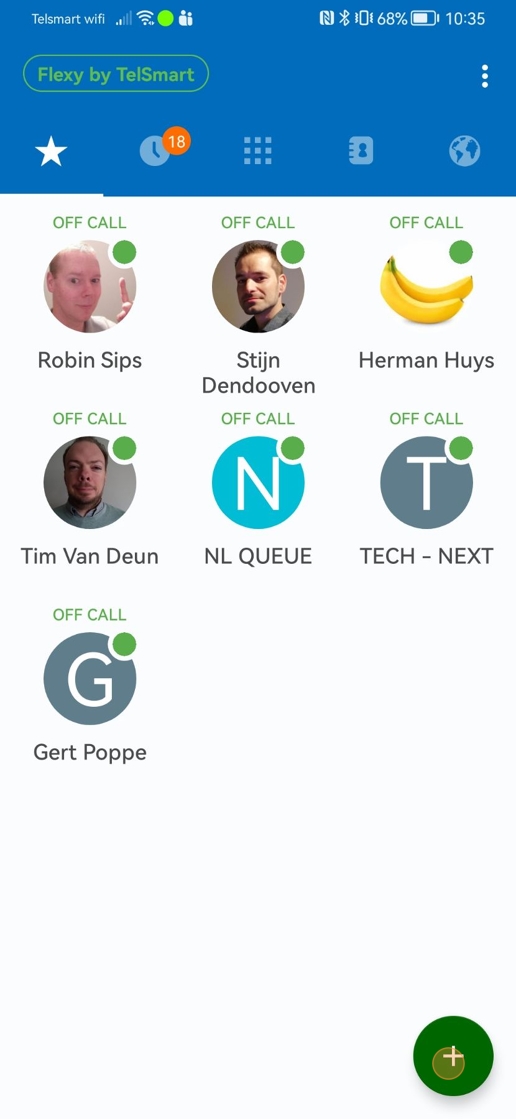
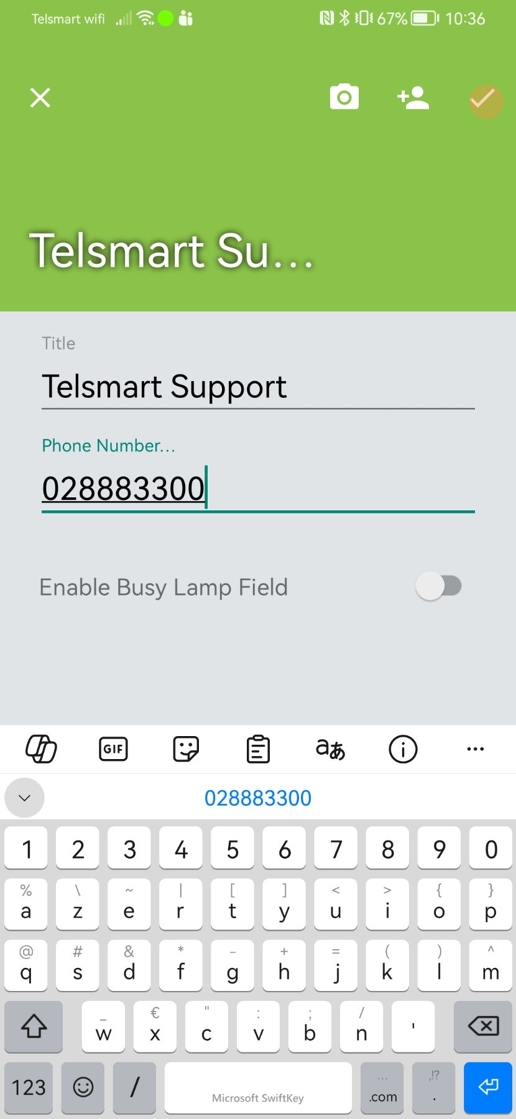
3. First we'll add an external phone number.

4. We add a name and a number and press on the V symbol.
5. We can now see the number we added in our Favorites. Next we'll add an internal number. We again click the + symbol.
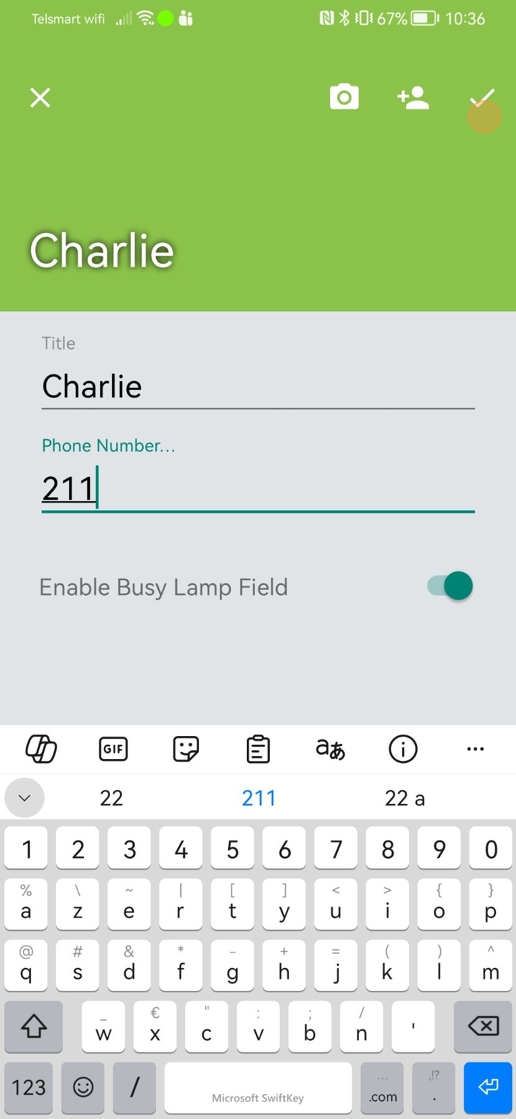
6. Then we add the name and internal number of the colleague we want to add. We also enable the Busy Lamp Field and press the V symbol.
7. Now we can see the internal number and the availability (green is available and red is busy).